
Recovering your password on the Orange retirees’ kiosk first requires understanding which identifier is actually expected by the platform. The confusion between the former employee identifier and the retiree identifier remains the primary reason for blockage, well before forgetting the password itself. This article measures the gaps between the different blockage situations and details the remedies available for each case.
Portal CSEC outage or forgotten password: two distinct problems on the Orange retirees’ kiosk
Before any attempt at resetting, a diagnosis is necessary. In 2026, the CFE-CGC reported an outage of the CSEC portal that disrupted access to pooled benefits. This type of interruption affects the authentication infrastructure itself, not the individual password.
Resetting your password in this context resolves nothing. The problem comes from the server, not the user account. A temporary relay site has also been set up by the CSEC to direct benefit requests during this period, with dedicated email addresses.
| Situation | Symptom | Appropriate Action |
|---|---|---|
| Forgotten password | Message “incorrect identifier or password” | Reset via the “forgotten password” link |
| CSEC portal outage | Page inaccessible, server error, timeout | Consult the temporary relay site of the CSEC |
| Wrong identifier used | No account found | Check if the retiree identifier differs from the former employee identifier |
| Obsolete email address | Reset link never received | Contact support through manual recourse |
This table summarizes the four most common scenarios. Each requires a different response, and confusing a server outage with a forgotten password wastes considerable time.
The one-stop shop for Orange retirees details the complete procedure for each blockage situation encountered on the portal.
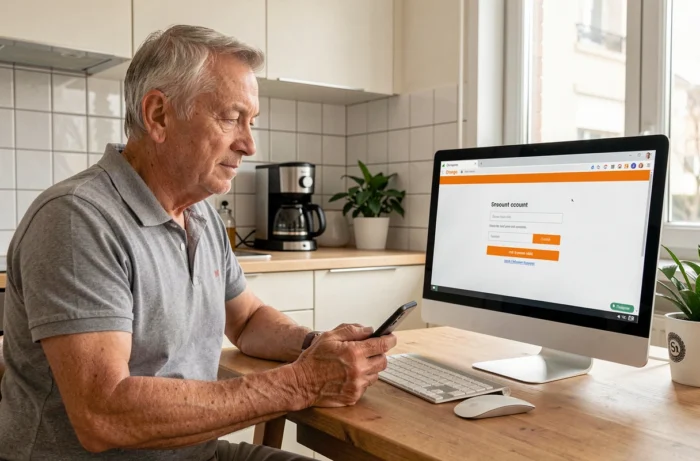
Orange retiree identifier: why the former employee identifier no longer works
At the time of retirement, Orange assigns a new identifier. This replaces the professional identifier used during the career. The former employee identifier is deactivated and no longer allows any connection to the retirees’ kiosk.
The difficulty arises from the fact that this change is not always clearly communicated. Some retirees retain their old access codes without knowing they have become obsolete. They then attempt a password reset that fails, as the account associated with that identifier no longer exists in the retirees’ kiosk system.
Check which identifier to use
The retiree identifier generally corresponds to a personal email address provided at the time of departure, or to a specific format communicated by mail. If this mail has been lost, the online procedure will not suffice. It will be necessary to go through a manual recourse with the CSEC.
Without the correct identifier, resetting the password is technically impossible. The online form simply will not find any account to reset.
Resetting the Orange retiree password: conditions for the procedure to succeed
When the identifier is correct, the reset follows the classic process of an Orange account. The “forgotten password” link on the login page sends an email containing a temporary code. Two conditions must be met for this procedure to work:
- The email address associated with the account must be accessible. If it has changed since retirement and has never been updated, the reset link arrives in a mailbox that the retiree no longer checks
- The account must not be locked due to too many unsuccessful attempts. After several failures, a temporary blocking period applies before being able to retry
The most common blockage case remains the unupdated email address. A retiree who used their Orange professional email during their career and has not replaced it with a personal address finds themselves in a technical deadlock.
Create a new secure password
Once the temporary code is received, the new password must meet the security requirements of the Orange portal. Mixing letters, numbers, and special characters remains the standard recommendation. Avoiding the reuse of an old password or a password common to other services limits the risk of compromise.

Manual recourse when the online procedure fails on the retirees’ kiosk
If the online reset does not work (obsolete email address, unknown identifier, locked account), alternatives exist. The CSEC has set up a temporary relay site that publishes the email addresses to use for benefit requests, pending the opening of the new PULP-One-stop shop platform.
This relay site does not allow for direct password resets, but it directs users to the right contacts. Retirees can find the contact details of the competent service to unlock their access.
Contact support through dedicated channels
The Orange retirees’ associations regularly relay practical information about platform changes and access procedures. They serve as an additional point of contact for retirees struggling to navigate between the different portals.
Classic Orange support (by phone or in-store) can also intervene on account issues, but it does not directly manage CSEC benefits. It is important to distinguish between the public Orange account and the specific account for the retirees’ kiosk, which falls under the social and economic committee.
The proliferation of portals (Orange account, retirees’ kiosk, CSEC relay site, future PULP platform) complicates matters for users who are not always accustomed to juggling between multiple interfaces. Precisely identifying which service manages which access remains the first step before any recovery process.